
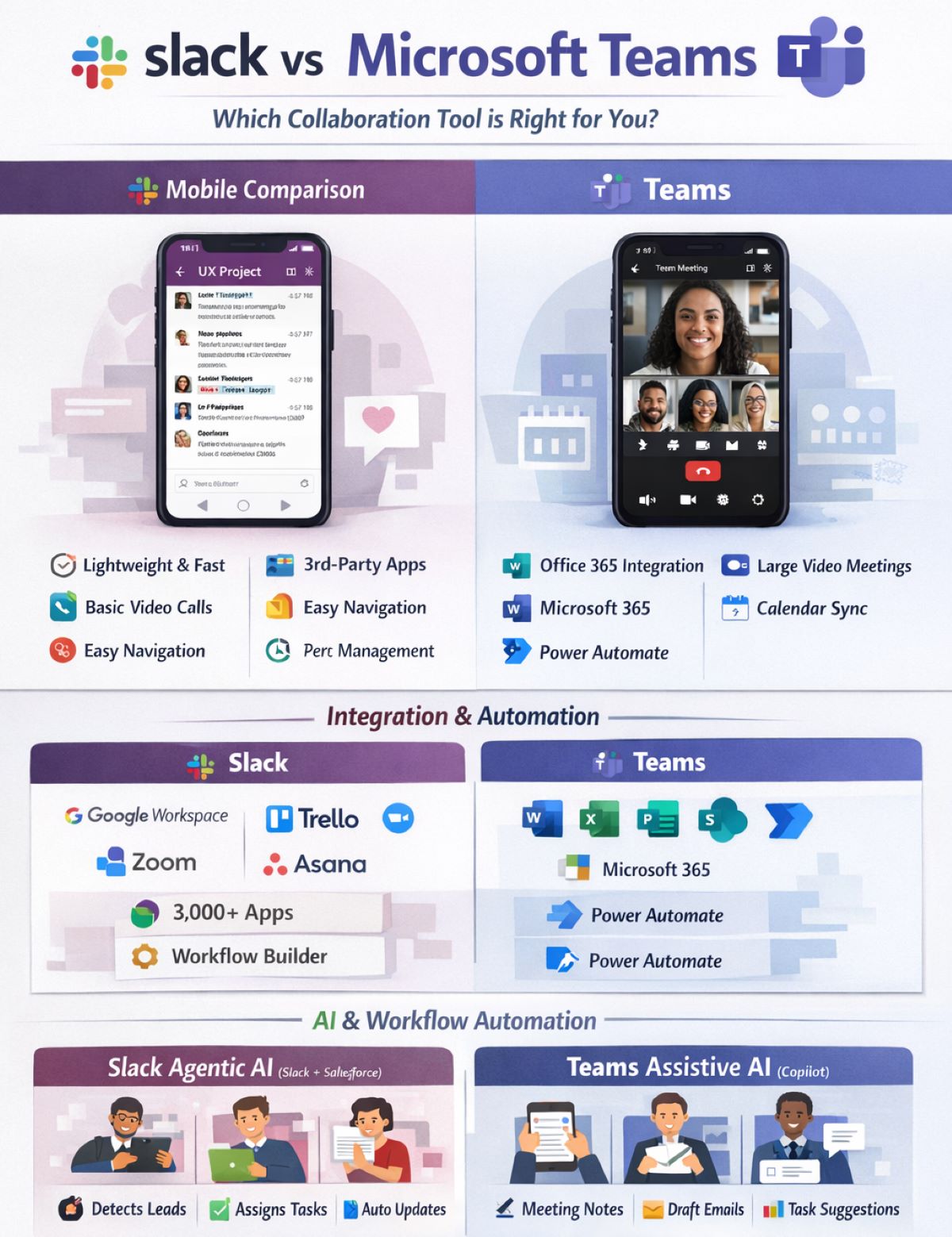
In today’s hybrid and remote work environments, team collaboration tools are essential. This Slack vs Microsoft Teams comparison explores two of the most popular platforms for modern teams. Both promise to streamline communication, improve productivity, and integrate with other tools, but which one is best suited for your organization?
Slack
Launched in 2013, and now owned by Salesforce, Slack is a dedicated messaging and collaboration platform designed to simplify team communication. Its core strength lies in its chat-focused interface, with channels for topics, projects, or teams.
Microsoft Teams
Introduced in 2017, Teams is part of the Microsoft 365 ecosystem. It combines chat, video conferencing, file sharing, and integration with Microsoft Office apps. Teams appeals particularly to organizations already using Microsoft products.
Slack:
Teams:
Winner: Slack for simplicity, Teams for integrated ecosystem.
| Feature | Slack | Teams |
| Channels | Yes, public & private | Yes, called “Teams” & channels |
| Direct messaging | Yes | Yes |
| Video conferencing | Built-in (up to 15 users on free plan) | Built-in, supports up to 300 participants |
| Voice calls | Yes, with Slack calls | Yes, integrated with Teams meetings |
| Threaded conversations | Yes | Yes |
Observation: Both platforms cover essential communication features, but Teams excels in larger-scale video conferencing.
Slack Mobile App:
Teams Mobile App:
Mobile Comparison Table:
| Feature | Slack Mobile | Teams Mobile |
| Chat & Threads | ✅ Excellent | ✅ Excellent |
| Voice/Video Calls | ✅ Limited group calls | ✅ Large meetings supported |
| File Access | ✅ Files & previews | ✅ Full Office 365 integration |
| Third-Party Integrations | ✅ Extensive | ⚠ Limited compared to Slack |
| Performance | ✅ Lightweight & fast | ⚠ Heavier, may lag on older devices |
| Ease of Use | ✅ Intuitive | ⚠ Slightly complex on small screens |
Bottom line: Slack is ideal for quick, on-the-go communication, while Teams excels if your team relies on Microsoft Office apps and larger video meetings.
Slack:
Teams:
Observation: Slack has a broader range of third-party integrations, while Teams shines in Microsoft ecosystem automation.
Slack: AI Agents and Salesforce Integration
Example:
A Slack agent detects an urgent customer case in Salesforce, drafts a proposed response using GPT, assigns it to a support rep, and posts a summary in a relevant Slack channel, without a human prompting it.
Microsoft Teams: Copilot and AI
Comparison Table:
| Feature | Slack GPT + Agents | Teams (Copilot / Power Automate) |
| Autonomous action | ✅ Yes, acts independently | ⚠ Limited to user-initiated or rule-based flows |
| Decision-making capabilities | ✅ Reasoning for actions | ⚠ Rule-based, no reasoning |
| Multi-app workflow | ✅ Yes | ⚠ Mostly Microsoft 365 apps |
| Use case examples | Sales alerts, task assignments | Meeting summaries, draft documents |
| True agentic AI | ✅ Yes | ❌ No |
Key Insight:
Slack currently leads in agentic AI, while Teams’ AI remains assistive, enhancing productivity but not acting autonomously.
| Feature | Slack | Teams |
| Encryption | ✅ In transit & at rest | ✅ In transit & at rest |
| Multi-factor Authentication | ✅ Yes | ✅ Yes |
| Compliance | ✅ SOC 2, ISO/IEC 27001 | ✅ HIPAA, GDPR, SOC, ISO |
Slack:
Teams:
Observation: Teams may offer better value if your organization already uses Microsoft 365.
Slack:
Teams:
In the Slack vs Microsoft Teams comparison, both platforms deliver strong collaboration capabilities, but they serve different organizational priorities and working styles.
Slack stands out for teams that value simplicity, speed, and flexibility. Its clean, chat-first experience, extensive third-party integrations, and lightweight mobile app make it especially appealing to startups, tech-forward teams, and organizations using a diverse set of tools. Most notably, Slack leads in agentic AI through its Salesforce-integrated AI agents, which can reason, act autonomously, and execute multi-step workflows across systems without constant human input. For teams looking to reduce manual work and enable AI-driven decision-making, this is a major differentiator.
Microsoft Teams, on the other hand, excels as an all-in-one collaboration hub for enterprises already invested in Microsoft 365. Its deep integration with Word, Excel, SharePoint, and Outlook makes document collaboration and large-scale meetings seamless. Teams’ Copilot AI enhances productivity by summarizing meetings, drafting content, and suggesting next steps, but it remains assistive rather than autonomous, relying on user prompts and rule-based automation.
Ultimately, the choice in Slack vs Microsoft Teams comes down to how your organization works today, and how it wants to work tomorrow. If your team prioritizes agentic AI, broad integrations, and fast-moving conversations, Slack is the stronger choice. If your organization depends on Microsoft 365, needs robust video conferencing, and prefers a centralized productivity suite with assistive AI, Microsoft Teams is likely the better fit.
Both platforms are mature, secure, and capable, but agentic AI is the key dividing line, and it may shape the future of how teams collaborate.
Speak with an expert today to discuss your collaboration goals and find the right tool for your use case.